Built for QuickBooks Online distributors

Stop retyping inbound POs into QuickBooks.

28 POs a day = 5 hours of clerk time. SideQuest does it in 12 minutes.

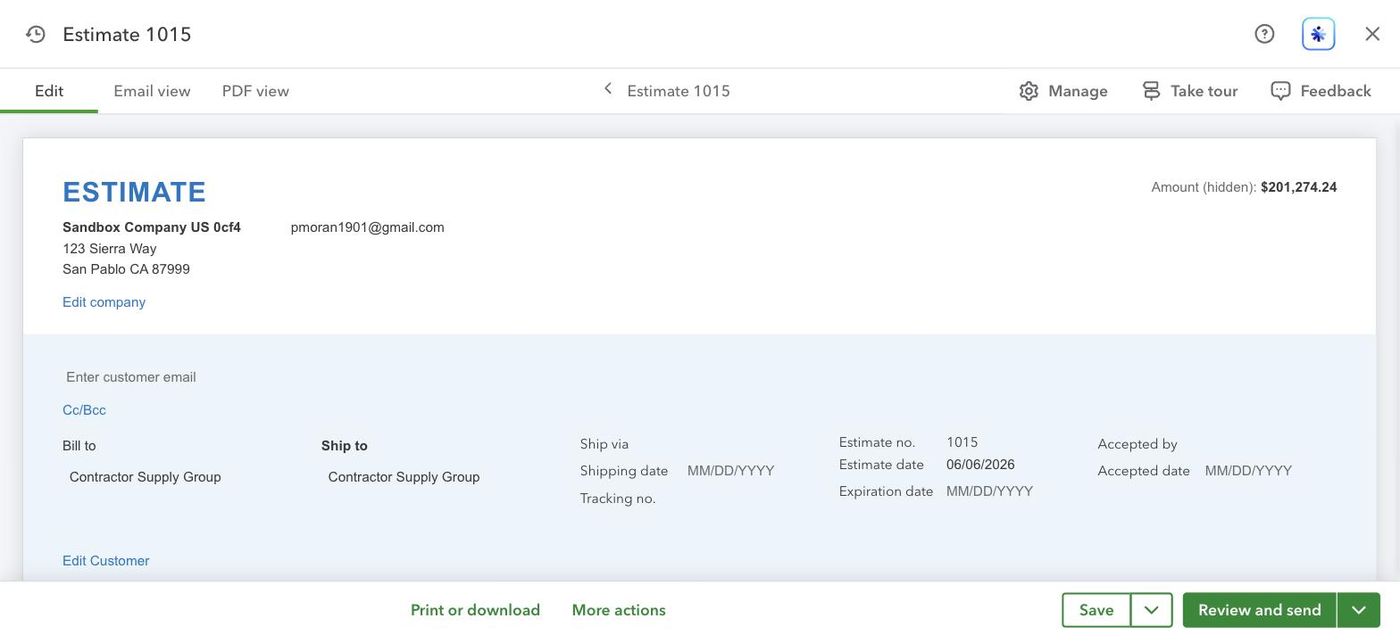
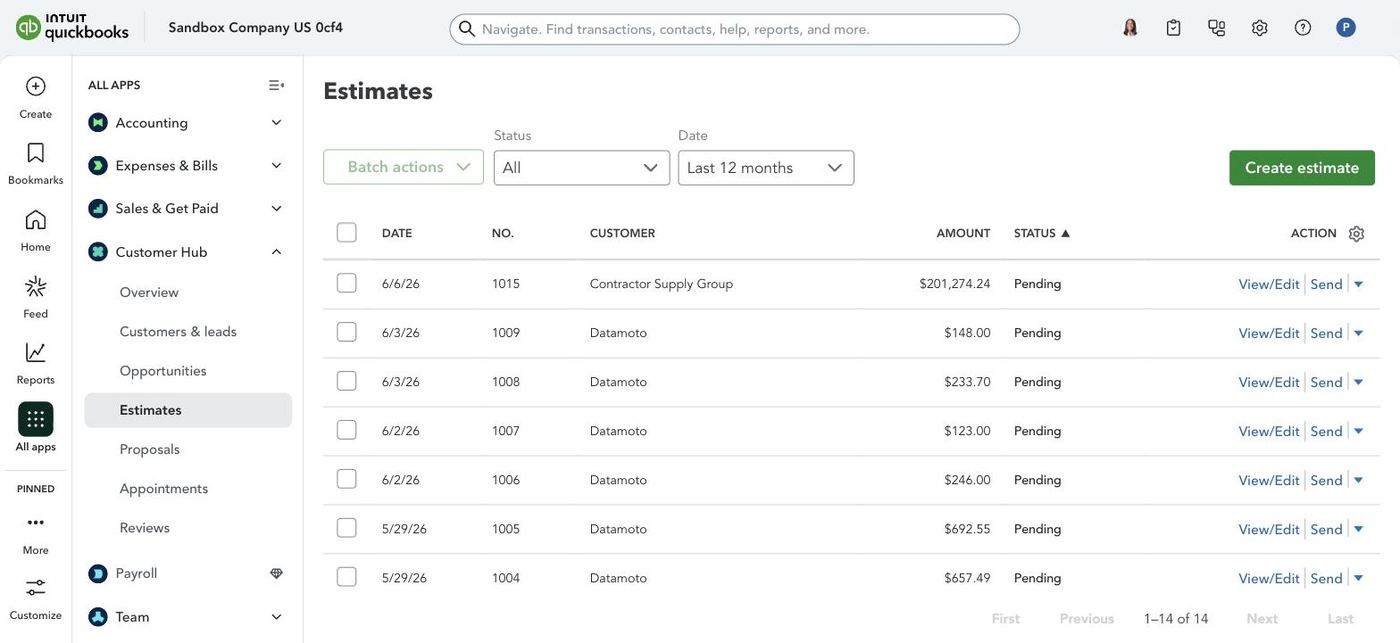
Reads POs from Gmail, matches every line against your QuickBooks catalog, flags pricing mismatches, and drafts the Estimate. You review before submit. Built for distributors handling 25-3,500 POs/month on QBO. Calculate your time saved →

Free forever for 25 POs/mo · Paid plans from $29/mo · No credit card

30-minute setup Data stays on your computer Human reviews before QB write Mac & Windows

Also serving: QuickBooks Desktop beta · Odoo distributors · ProAdvisor partner program

↳ Parsed and matched by SideQuest in real time
8–12 hrs
/ week saved per inside sales rep
30 min
from signup to first processed PO
0 bytes
of your PO data ever reaches our servers
The problem

Your inside sales team types every PO by hand.

Each PO arrives as a PDF, scan, or handwritten fax. Someone copies every line into a draft order in QuickBooks, double-checks the catalog, applies the right contract price, and finally clicks submit. At 50 POs a day, that's a full headcount of copy-paste work. SideQuest does the building part. You still own the submit click.

$30–50/hr

Clerical labor cost

Per inside sales rep, fully loaded. Multiply by 200 to 1,000 POs a month and the bill runs $30K to $300K a year in pure data entry.

~12%

Average error rate

Wrong SKU, wrong quantity, wrong price. Each error becomes a chargeback, a returned shipment, or a customer service call.

$1k+/mo

Existing tools cost

EDI providers and AP automation suites require 6 to 12 week implementations and IT teams. Out of reach for the mid-market distributor.

How it works

Four steps. Or let Claude install SideQuest for you.

Setup takes about 30 minutes the first time. Two ways to do it: read the four steps below, or paste our install prompt into Claude Desktop and Claude walks you through every step on-screen. After setup, every future PO is one conversation with Claude, using the same free Claude Desktop app you'd download for any other reason.

Don't want to read the four steps? Paste our install prompt into a fresh Claude Desktop chat. Claude takes the role of your implementation specialist and walks you through each step on-screen, copy-paste commands and all. About 25 minutes start to finish. If anything still goes wrong, email [email protected] — same business day response.
1

Install on Mac or Windows

One command on Mac, one double-click on Windows. The installer creates an isolated Python environment. No IT or admin password needed.

2

Connect Gmail + QuickBooks

The quick start walks both OAuth sign-ins, one per app: QuickBooks via Intuit's OAuth Playground, Gmail via your free Google Cloud project. Tokens stay on your computer, never on our servers.

3

Label POs in Gmail

Any email with the purchase-orders label is in-scope. Use a Gmail filter to auto-apply it from your top senders.

4

Ask Claude

"List my incoming POs and draft estimates." Claude builds each draft order inline, you edit by chat, then ask Claude to submit. The Estimate appears in QuickBooks. Nothing posts without your say-so.

The free Claude Desktop app is all you need. SideQuest runs inside the free Claude Desktop app from claude.ai/download. No Anthropic API key. No paid plan. No subscription. Just download, sign in, and you're set.
Watch the live demo →
What it does

Built for the way distributors actually work.

Three sides of the same workflow live inside one connector. POs come in from email and become QuickBooks Estimates. Confirmations and quotes go out as Gmail drafts you click send on. AR Assistant pulls open invoices from QuickBooks and drafts the follow-ups to chase them. Same install, same Claude Desktop chat, same per-PO economics. Generic AP automation doesn't understand a 1/2-inch NPT brass elbow. SideQuest does.

Reads handwriting

Typed POs, scanned PDFs, handwritten faxes. The connector handles all three with around 95% accuracy on legible scans.

Cross-references SKUs

Five-step match cascade: exact SKU, customer cross-reference, partial-SKU substring, description match, then fuzzy combined — anything still unresolved routes to the human review queue. Catches misspellings, dropped prefixes, and abbreviations.

Normalizes units of measure

"6 inch," "6 in," "6"," "1/2 ft," and "0.5'" all point at the same elbow in your catalog. The parser converts every common unit (inches, feet, mm, lbs, gallons, miles) and matches against your canonical SKUs. How it works →

$

Catches pricing mismatches

Every line compared against your QBO catalog price. PO-higher flagged, PO-lower auto-corrected to catalog (we never silently quote below your price), missing-price filled in from catalog. Every adjustment surfaced on the draft before the Estimate goes out.

Runs on your computer

Your PO content, your QuickBooks catalog, your customer list — all stay on your computer. We see only counters.

One-click submit, or hands-off auto-submit

SideQuest builds the draft order, then waits. You review it in Claude, edit by chat if anything's off, then tell Claude to submit and the Estimate gets written into QuickBooks Online. On paid tiers, opt-in auto-submit lets clean drafts flow into QuickBooks without your sign-off. Auto-submit only writes the Estimate into QuickBooks; it does not send anything to your customer. What auto-submit does and doesn't do →

💸

AR Assistant chases unpaid invoices

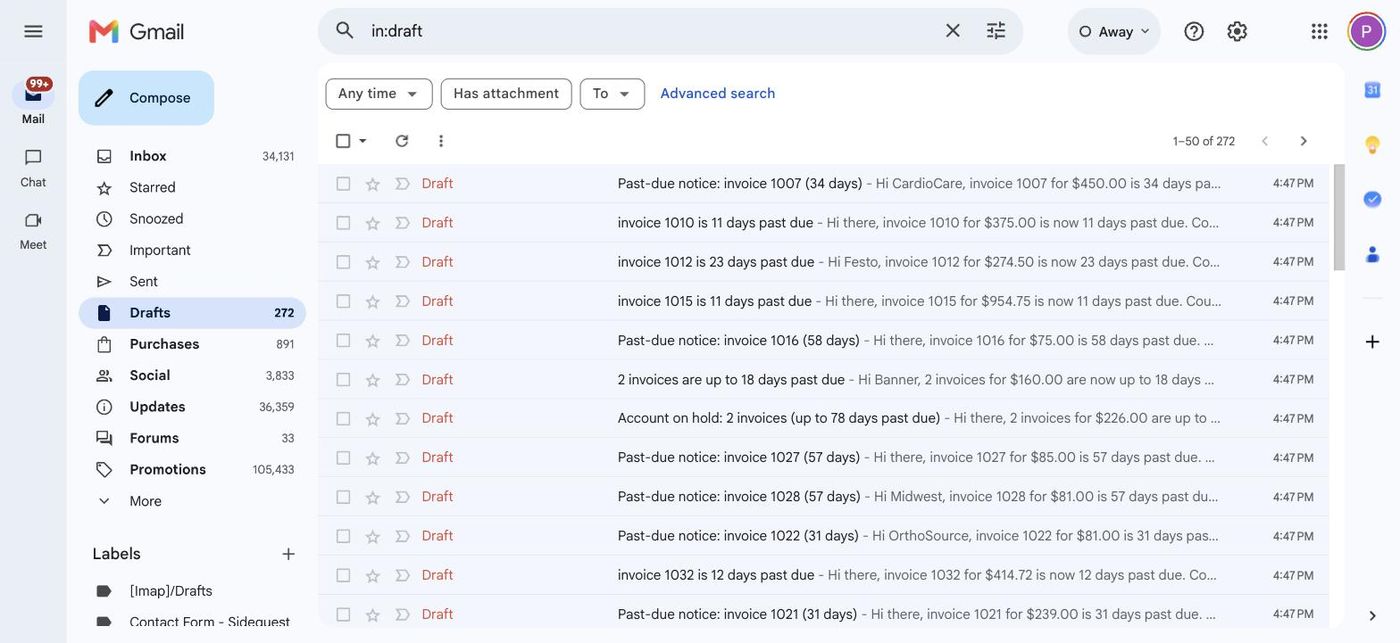
SideQuest pulls every open invoice from QuickBooks Online, buckets them by aging, drafts a follow-up email per customer in Gmail. You review, click send. Six gentle-to-firm escalation tiers. Solo and above. See how AR Assistant works →
New products

Three product additions, shipped in the last 30 days.

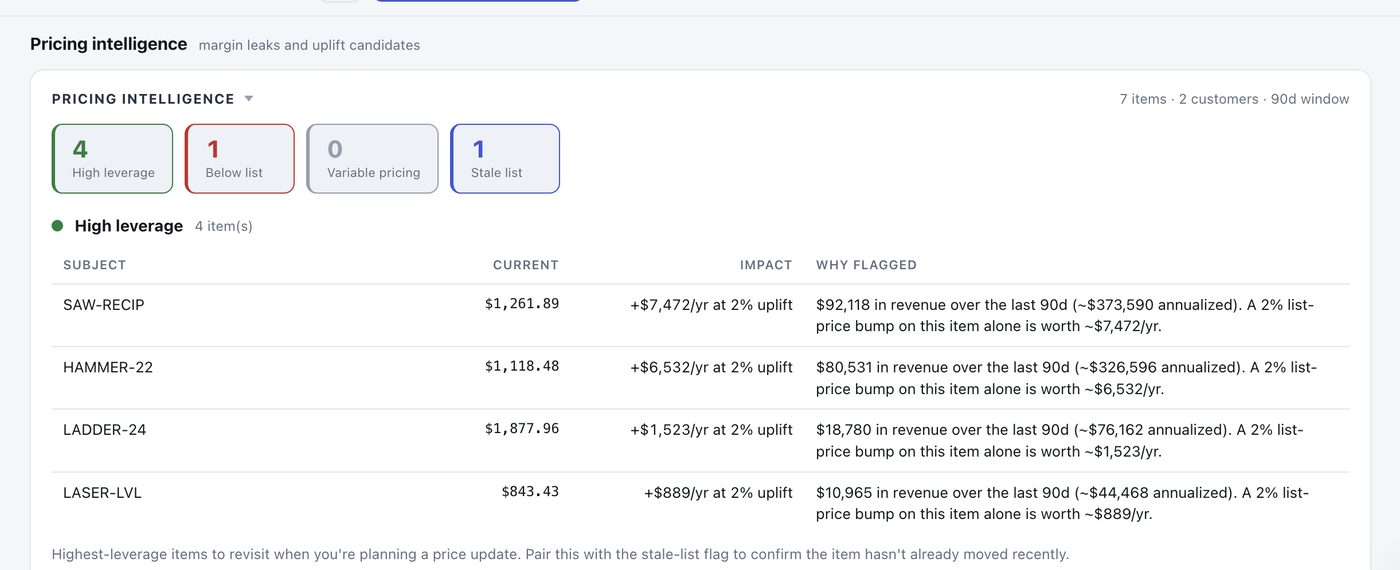
Pricing Intelligence section on the SideQuest dashboard showing High leverage, Below list, Variable pricing, and Stale list buckets with per-item impact
💰 Pricing Intelligence

Find the money you're leaving on the table

Four buckets: high-leverage items, below-list customers, variable pricing, stale list prices. Each finding has a dollar impact.

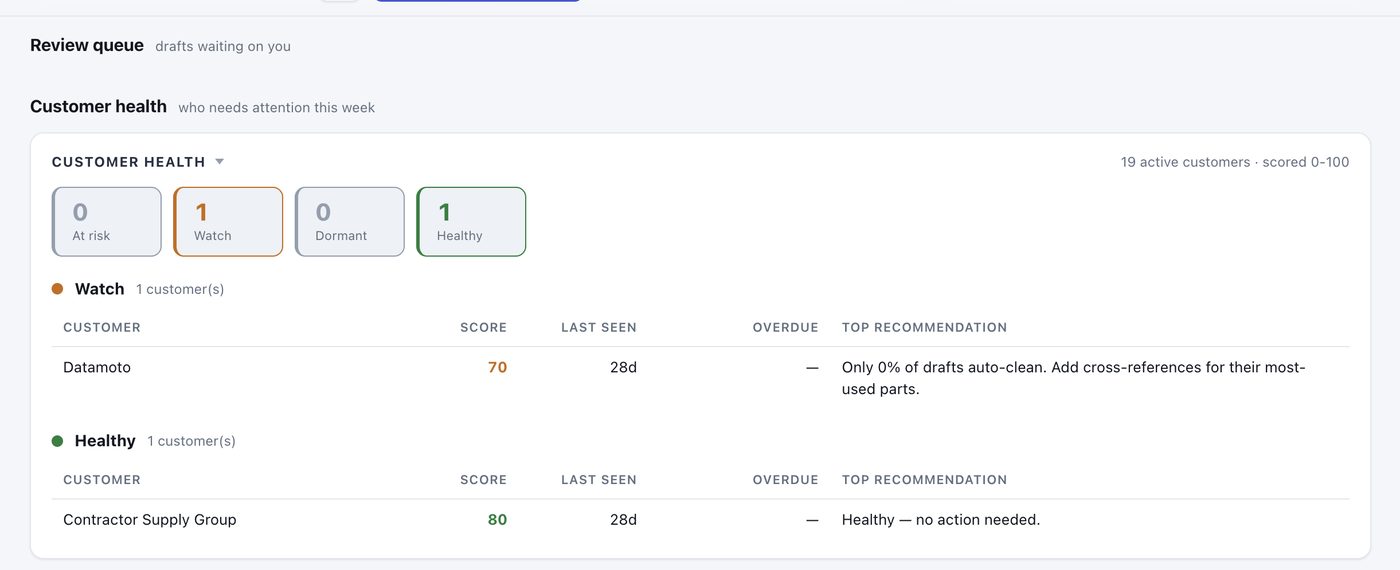
Customer Health section on the SideQuest dashboard showing At risk, Watch, Dormant, and Healthy buckets with per-customer scores and recommended next actions
❤️ Customer Health Score

Your weekly callsheet, automatically

Every active customer scored 0-100. Four buckets: At Risk, Watch, Dormant, Healthy. Each At Risk row has a specific recommendation.

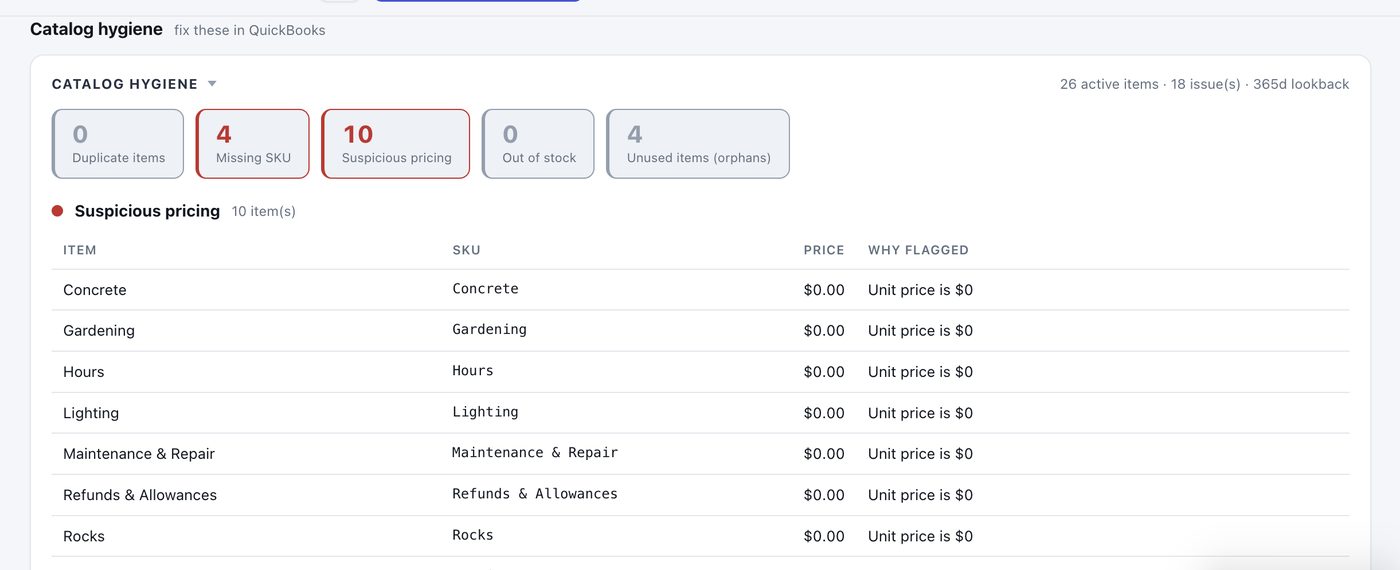
Catalog Hygiene section on the SideQuest dashboard showing Duplicate, Missing SKU, Suspicious pricing, Out of stock, and Unused buckets with fix hints
🧹 Catalog Hygiene

Quarterly cleanup, with the checklist built in

Audits the QuickBooks item catalog for duplicates, missing SKUs, suspicious pricing, out-of-stock items, and parts nobody orders.

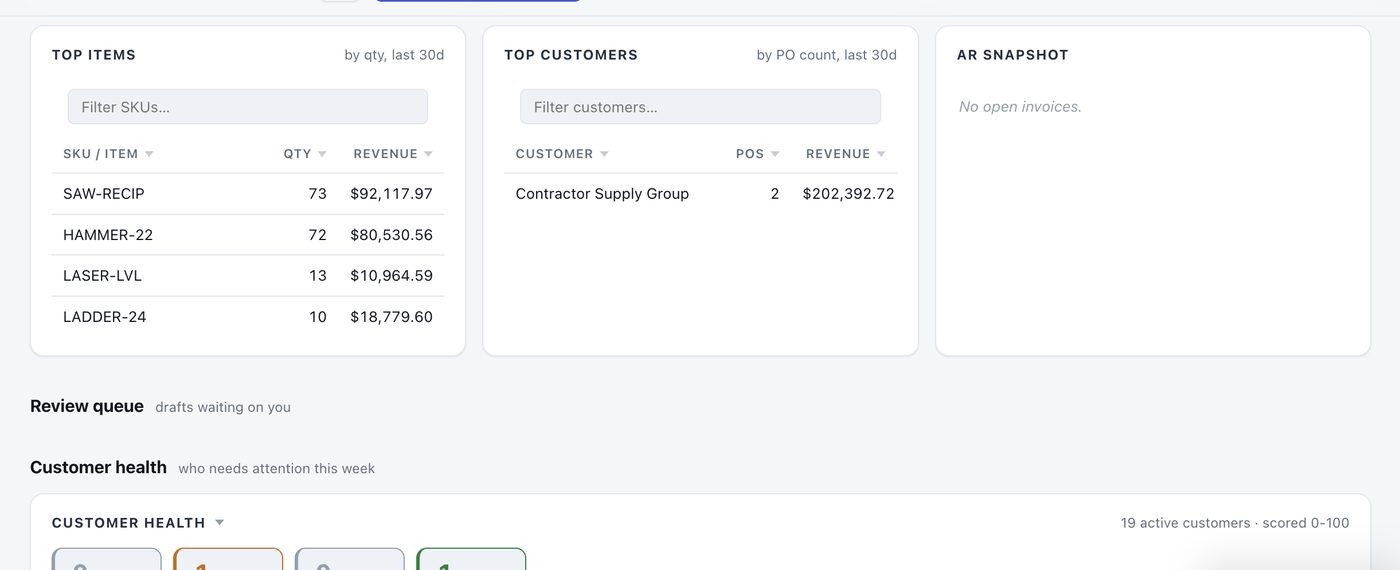
Top items and top customers tables on the SideQuest dashboard with per-table filters, sortable columns, and the AR snapshot
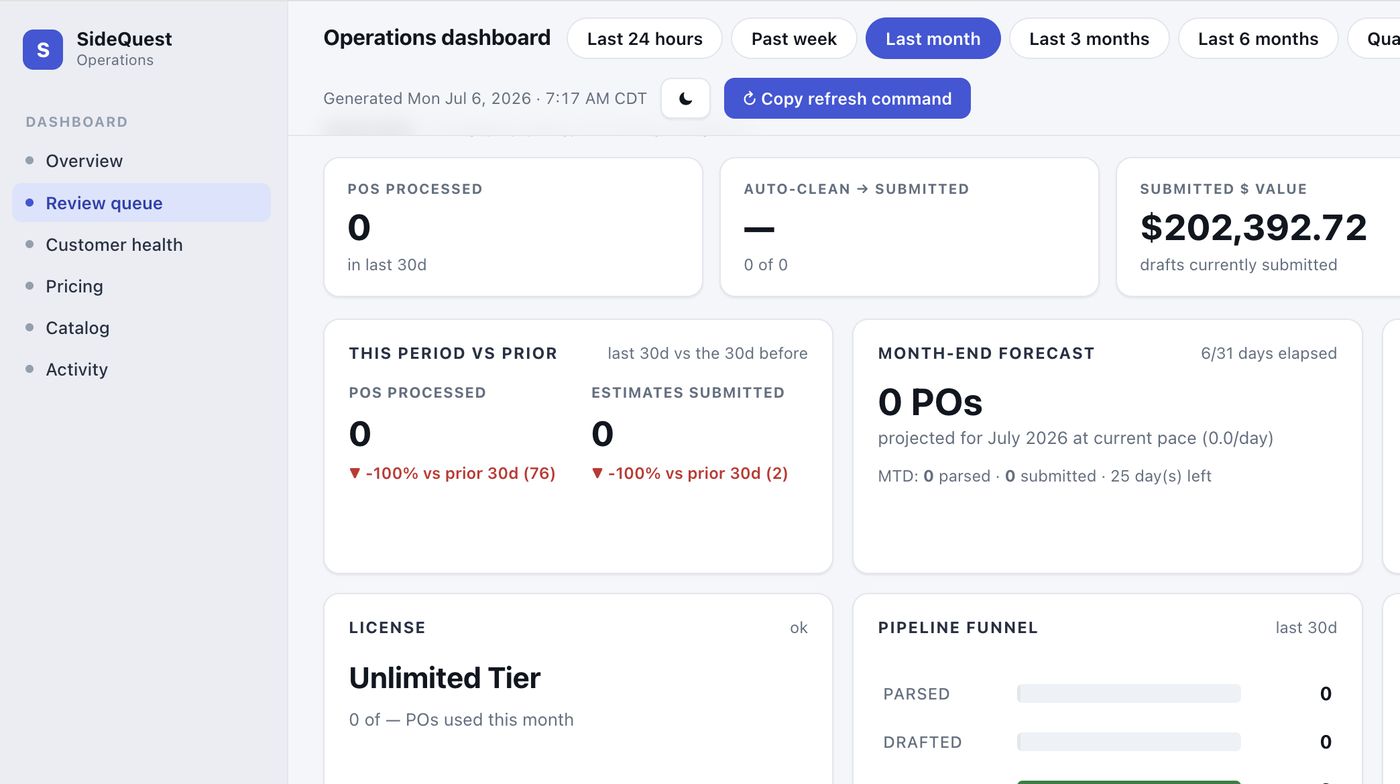
These cards are one corner of the console — walk all six sections See the full dashboard →
Comparing SideQuest to other tools?

Read the QuickBooks PO automation buyer's guide — plus side-by-side comparisons against Zapier, Make, n8n, Nanonets, and Rossum.

Who it's for

Built around the way your vertical writes a PO.

SideQuest reads the same email-and-PDF flow across every distributor category, with matcher logic that handles each one's catalog quirks. Open the page for your vertical to see the specifics.

HVAC distributors →

Compressors, refrigerant lines, condenser coils. Tonnage and BTU specs in descriptions. Contractors on net-30 plus COD walk-ins.

Plumbing wholesalers →

PEX, copper fittings, water heaters, valves. NPT, MIP, FIP thread specs in PN suffixes. Job-site ship-to addresses different from billing.

Electrical distributors →

Conduit, breakers, panels, EMT. NEMA configurations and UL listings in line text. 40-line residential rough-in POs stop costing typing time.

Jan-San distributors →

Case packs, gallons, dispenser refills. Same chemical, five pack sizes, five SKUs. BSC reorders match learned-rules path.

Industrial MRO →

Bearings, fasteners, belts, abrasives, cutting tools. OEM-to-house cross-reference tables read on every match. 50,000-SKU catalogs handled.

Outside sales reps →

Reps email field orders from their phone using a one-shot template. SideQuest treats them as inbound POs. Order desk reviews + submits.

See all 14 distributor verticals →
Pricing

Save about $4 per PO. Pay $0.19.

Free tier processes 25 POs per month with no credit card. Paid tiers add auto-submit, reply drafts, customer risk gate, quotes, and cross-reference uploads.

Free
$0/mo
25 POs / month
Parser + manual submit, no card
Start free →
Growth
$99/mo
750 POs / month
3 seats, learned rules. $0.13 per PO.
Start Growth →
Scale
$299/mo
3,500 POs / month
10 seats, catalog tuning. $0.085 per PO.
Start Scale →
Custom
Let's talk
Above 3,500 POs / month
Multi-entity, SSO, custom SLA
Request custom pricing →

Solo at $29/month pays for itself if you save one hour a week of CSR time. See the full pricing page →

Privacy & security

Your data never leaves your computer.

The SideQuest connector runs on your computer (Mac or Windows). Your purchase orders, your QuickBooks catalog, your customer list, and your pricing never reach our servers. We are the only PO automation tool you can install with no compliance review.

Common questions

Things prospects ask before signing up.

Do I need to be technical?

No. The setup is one Terminal command and two browser sign-ins. We built a self-serve install prompt you paste into Claude Desktop — Claude takes the role of an implementation specialist and walks you through every step. About 25 minutes start to finish. If anything goes wrong, email [email protected] and we respond same business day.

Do I need Claude or any AI subscription?

No. The core product runs as plain software on your computer. Handwriting recognition is the only AI-touching feature, it's optional, and it costs about $0.20 per month if you use it.

What if I'm on QuickBooks Desktop?

Currently QuickBooks Online only. A Desktop bridge is on the roadmap. If you need it now, email us and we will move your account to the front of the queue.

Can my whole team use it?

Yes. One license covers your whole company. Two setup patterns: one shared-inbox operator on a Mac or Windows PC, or each rep running the connector on their own machine with their own Gmail. Usage counts toward the same monthly quota across all installs.

What happens if I hit my monthly limit?

Soft warning at 80%, grace window at 100%, and a polite block at 125%. You will never get cut off mid-batch. Upgrade with one email reply.

Can I cancel anytime?

Yes. Cancel by email anytime, no contracts. The first 30 days of any paid plan are refundable, no questions asked.

Read the full FAQ →

Get your first PO processed in 30 minutes.

Free tier processes 25 POs per month, no credit card. Email goes in, license token comes back in your inbox within minutes, you install the connector with Claude in 10 minutes.

Start free

Keep reading

Workflow

Bulk-process overnight POs from Gmail into QuickBooks

One command handles the clean ones; the rest stack in a single review queue.

Positioning

Claude for Small Business and SideQuest

Anthropic shipped Claude for Small Business with a native QuickBooks connector. We're the distributor-specific layer on top.

Eng

How we evaluated 12 OCR services

Per-page price, accuracy on bordered tables. Azure DI primary + Sonnet vision rescue.